How to Create a Lead Magnet in Canva
Updated July 2026
Editorial note: This article does not include affiliate links at publication. It is written by The Visual Brand Kit Editorial Team for educational purposes.
Quick Answer
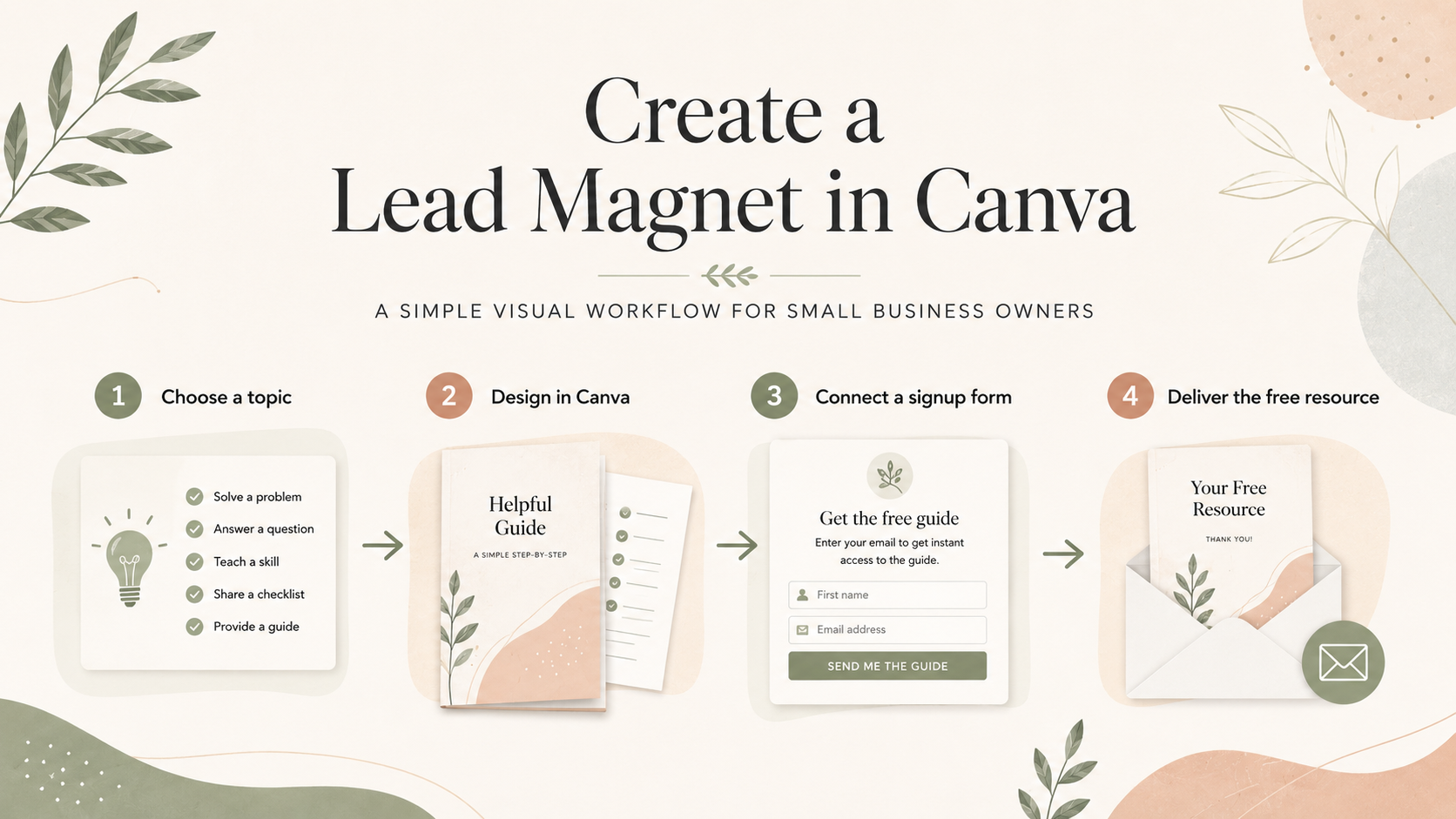
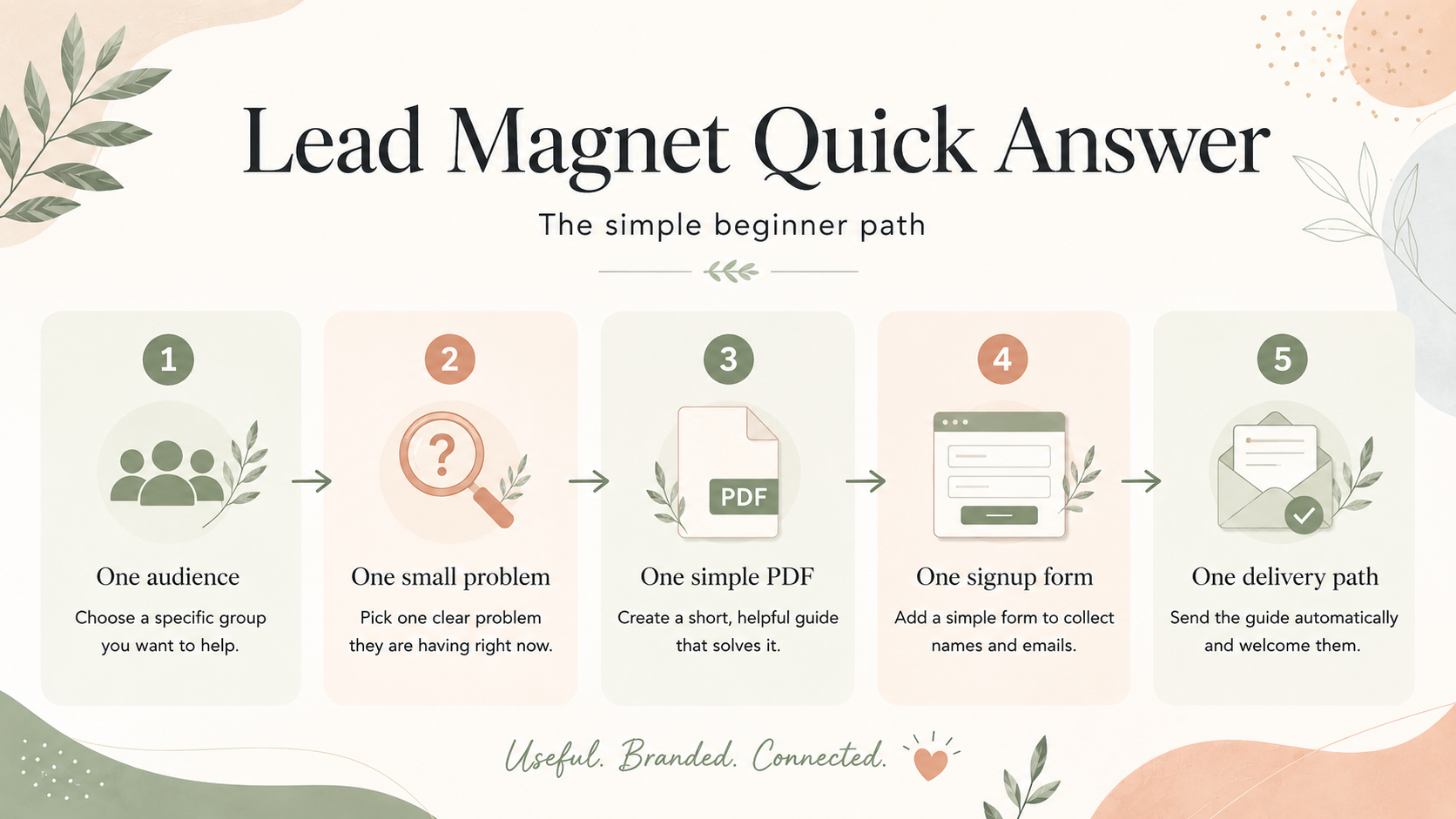
A lead magnet in Canva should be simple, useful, visually consistent, and connected to an email signup flow. The best beginner workflow is to choose one specific problem, outline a short checklist or guide, design it with your brand colors and fonts, export it as a PDF, and connect it to a signup form, thank-you page, or delivery email.
The important part is the full path, not just the file. A lead magnet is not only a PDF sitting in your downloads folder. It should have a clear promise, a branded design, a signup form, a delivery method, and a natural next step for the reader.
Canva can help you design the visual asset. Your brand kit helps it feel consistent. An email platform such as MailerLite can support the signup and delivery workflow. Pinterest can later help people discover the article or resource page. None of those pieces guarantee list growth, sales, deliverability, or legal compliance, but together they can support a practical beginner system.
Who This Is For
This guide is for non-designer small business owners who want a useful, brand-consistent lead magnet without building a complicated funnel.
It is especially relevant for:
- Coaches
- Consultants
- Estheticians
- Beauty professionals
- Wellness professionals
- Photographers
- Freelancers
- Service businesses
- Solopreneurs who want to connect Canva content with email signup
If you already publish helpful articles, Pinterest graphics, service pages, or Canva resources, this workflow can help you turn one useful idea into a simple email capture asset.
Who This Is Not For
This guide is not meant to replace complex funnel strategy, legal advice, compliance consulting, custom-coded lead magnet systems, or advanced email marketing operations.
It is also not for anyone expecting guaranteed list growth. A lead magnet can support email growth, but it cannot guarantee subscribers, inbox placement, sales, revenue, or business results. Treat this as a beginner-friendly visual branding and email signup workflow, not a promise of outcomes.
What Is a Lead Magnet?
A lead magnet is a useful free resource someone receives after joining your email list or submitting a signup form. It is often called a freebie, opt-in, PDF download, checklist, guide, workbook, template, or resource.
For a small service business, a lead magnet should not feel random. It should connect to what you sell, what your audience is trying to solve, and the visual experience of your brand. A good lead magnet helps someone understand the next step before they book, inquire, buy, or keep reading.
Examples include:
- A checklist that helps a potential coaching client prepare for a clarity call.
- A skincare prep guide for an esthetician’s new clients.
- A brand board checklist for a small business owner building a visual identity.
- A photoshoot planning guide for a photographer’s inquiry audience.
- A project kickoff worksheet for a consultant or freelancer.
The format can be simple. In many cases, a short, well-designed PDF is better than a long guide that never gets finished.
What Makes a Good Lead Magnet for a Service Business?
A good service-business lead magnet does three things.
First, it solves one small problem. It should not try to replace your full service, course, consultation, or paid offer. It should make the reader feel clearer, more prepared, or less overwhelmed.
Second, it feels visually aligned with your brand. Your colors, fonts, spacing, tone, and layout should match the rest of your website and content. If you have not built that foundation yet, start with a simple visual system. This is where a brand board in Canva can help.
Third, it fits into a real follow-up path. A lead magnet should not sit alone as a disconnected PDF. It should connect to a signup form, a thank-you page or delivery email, and a next step, even if that next step is reading another helpful article.
The best beginner lead magnets are practical, specific, and easy to finish. They do not promise guaranteed results, income, compliance, or instant growth. They help one reader move forward.
What You Need Before You Open Canva
Before you start designing, decide what the lead magnet is supposed to do. Canva is useful for layout and visual polish, but it cannot choose the strategy for you.
Start with these five pieces:
- One audience: who is this for?
- One problem: what are they trying to figure out?
- One small win: what should they be able to do after using it?
- One format: checklist, mini guide, workbook, prep guide, quiz, template, or examples list.
- One next step: what should they do after they receive it?
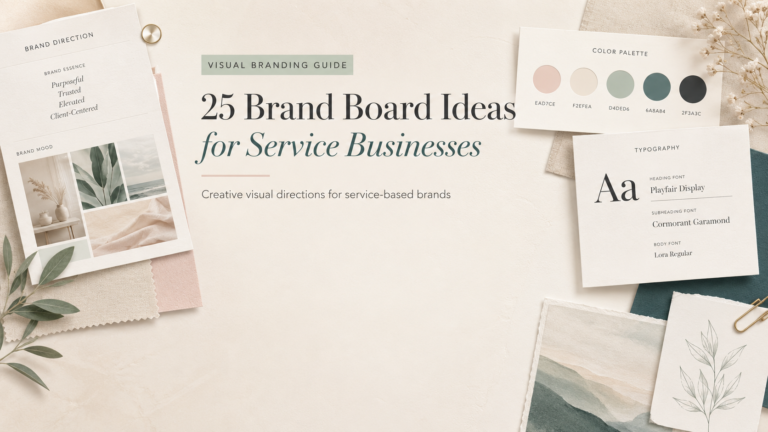
You also need basic brand decisions: colors, fonts, image style, logo use, and CTA language. If those pieces still feel unclear, browse brand board ideas for service businesses before you design the PDF.
This planning step keeps your lead magnet from becoming a generic freebie. It becomes a brand asset with a purpose.
Start with your brand basics first
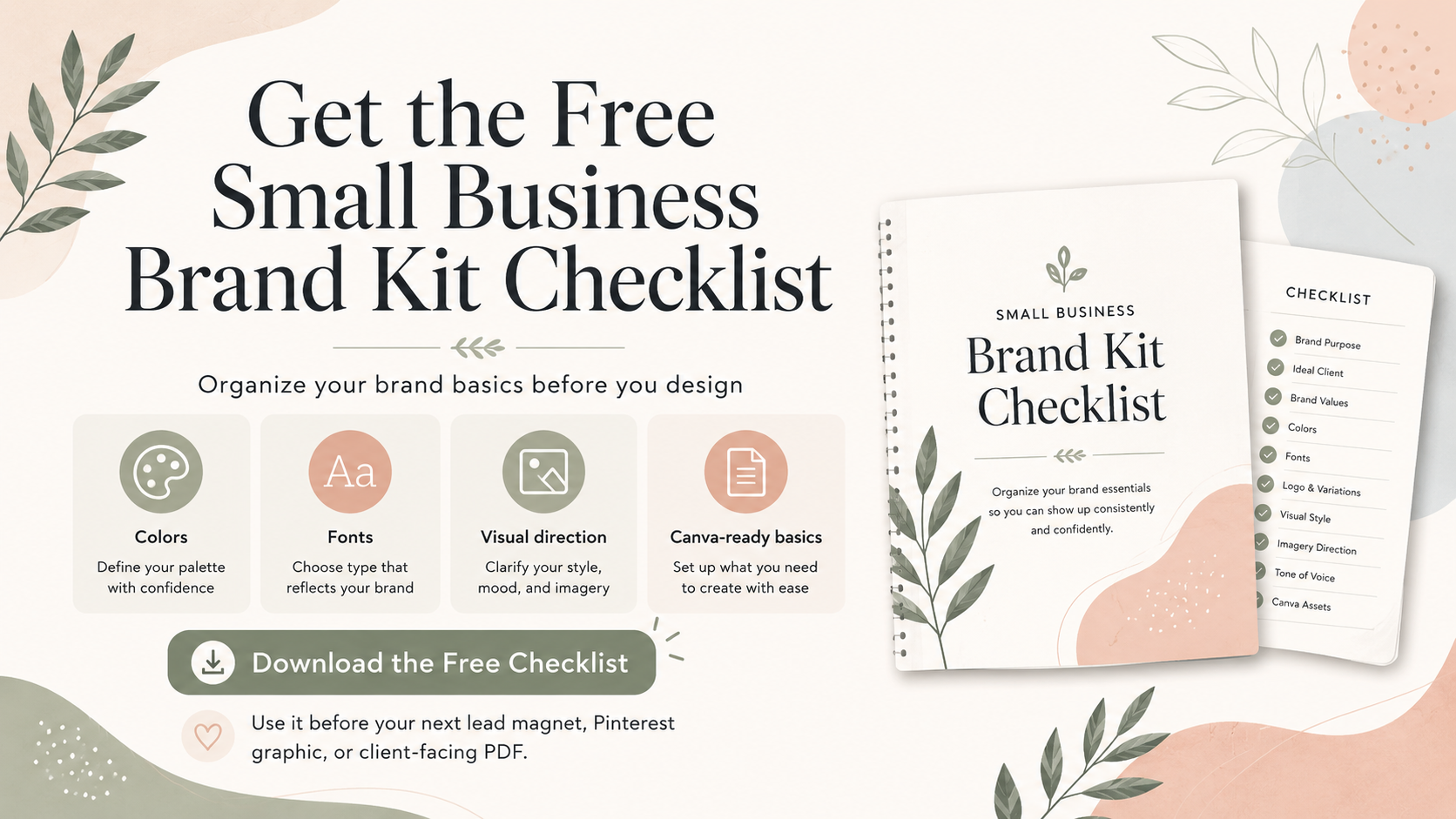
If your colors, fonts, and visual direction still feel unclear, download the Free Small Business Brand Kit Checklist before designing your lead magnet.
Step 1: Choose the Lead Magnet Type
Choose the format based on what your reader needs, not what seems most impressive.
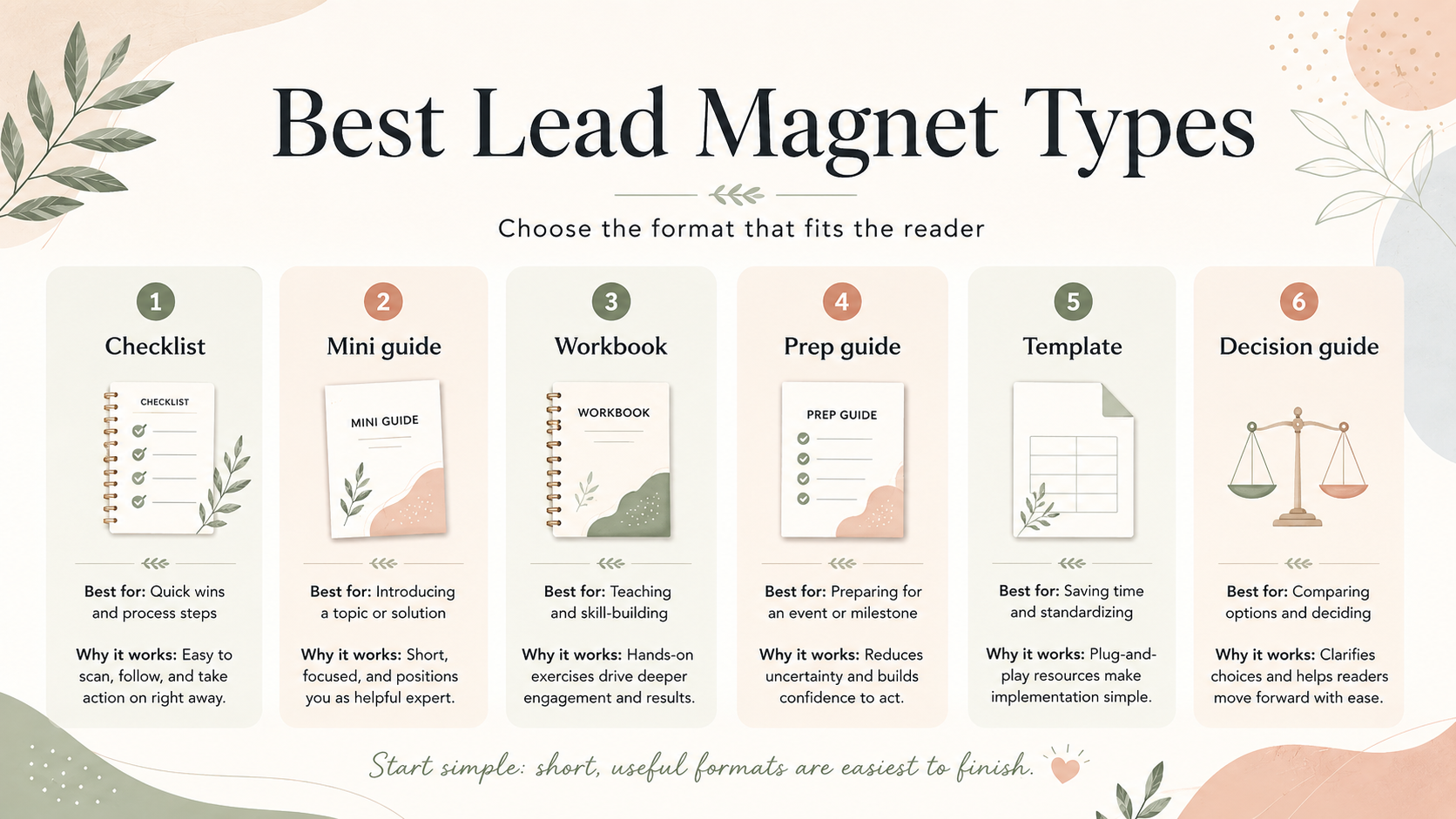
A checklist works well when the reader needs quick clarity. A mini guide works well when they need a short explanation. A workbook works well when they need to answer prompts or organize ideas. A service prep guide works well when you want to reduce friction before an appointment or booking.
If this is your first lead magnet, keep it short. A one-to-three-page checklist or guide is easier to finish, easier to design, and easier to improve later.
Best Lead Magnet Types for Service Businesses
| Lead Magnet Type | Best For | Why It Works | Canva Design Notes | Caveat |
|---|---|---|---|---|
| Checklist | Beginners and busy service providers | Fast to read, easy to save, easy to finish | Use 1-3 pages, clear checkboxes, generous spacing, and brand colors | Do not make it so broad that it becomes vague |
| Mini guide | Educating warm leads | Explains a problem and gives a simple path forward | Use short sections, icons, callout boxes, and one CTA | Avoid turning it into a long ebook |
| Workbook | Coaches, consultants, wellness providers | Helps the reader reflect, plan, or prepare | Use worksheet pages, prompts, blank spaces, and examples | Keep printable space usable |
| Pricing guide | Service providers with custom offers | Helps leads understand options before inquiry | Use comparison sections, service tiers, FAQs, and a next-step CTA | Avoid legal or financial promises and keep prices current |
| Service prep guide | Beauty, wellness, photography, and local services | Reduces friction before a booking or consultation | Use timeline blocks, prep checklist, and what-to-bring sections | Make sure instructions match your actual service policies |
| Quiz / decision guide | Readers unsure what they need | Helps people self-select a next step | Use simple paths, score boxes, or a decision tree layout | Avoid fake diagnostic, medical, legal, or guaranteed-result framing |
| Template | Freelancers, consultants, marketers | Gives an immediately usable starting point | Use editable-looking sections and clear usage notes | Verify template and content licensing before distribution |
| Swipe file / examples list | Visual learners and idea seekers | Gives inspiration without requiring heavy reading | Use cards, grids, captions, and examples by scenario | Do not copy competitor examples or protected designs |
Step 2: Define One Clear Promise
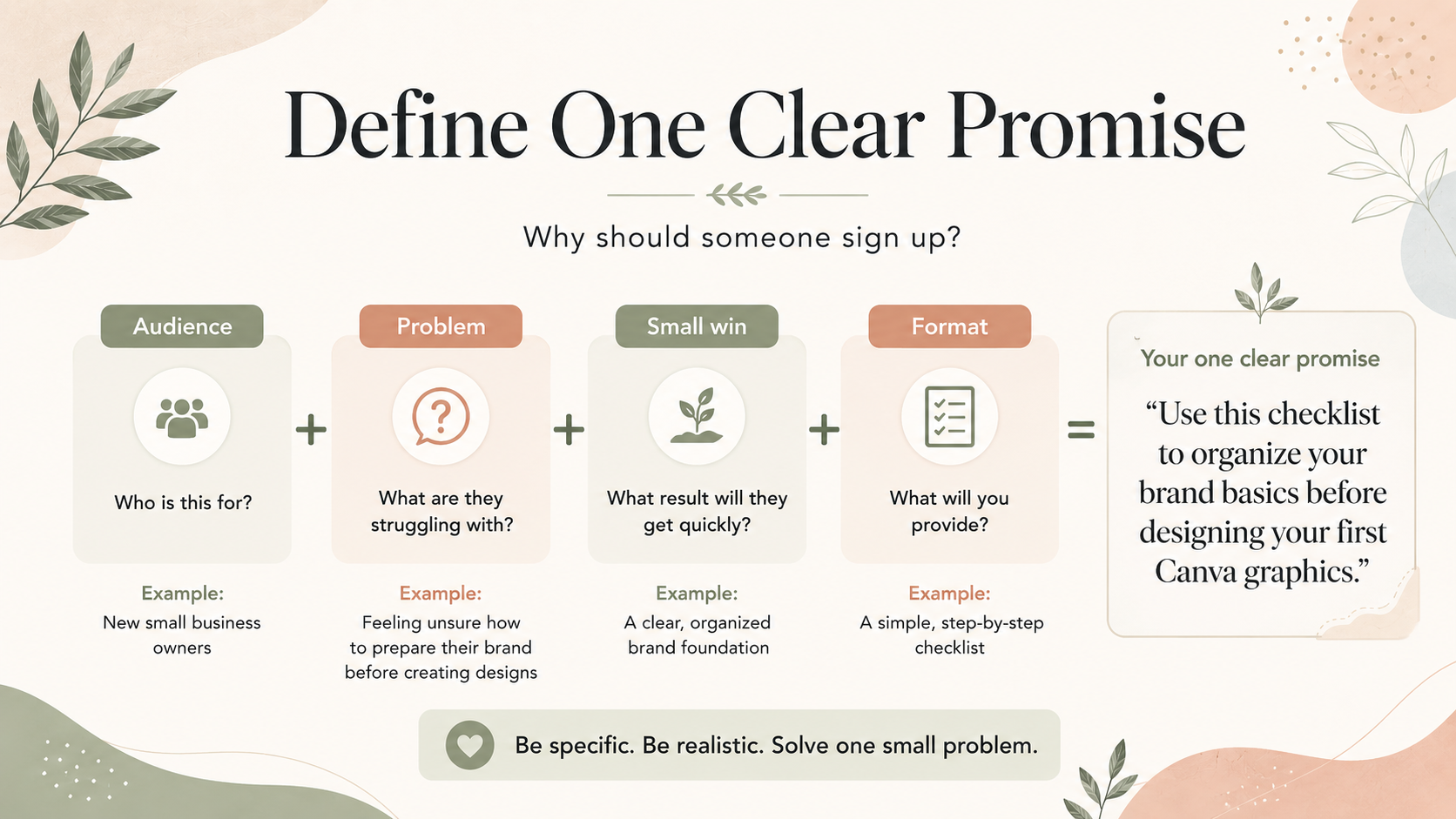
The promise is the reason someone signs up. It should be specific enough that the reader immediately understands what they will receive and why it matters.
Weak promise: “Get my free guide.”
Better promise: “Use this checklist to prepare your brand basics before designing your first Canva graphics.”
Strong lead magnet promises usually include:
- The audience: small business owner, coach, esthetician, photographer, consultant.
- The problem: choosing brand colors, preparing for a service, planning content, booking the right offer.
- The small result: feel prepared, make a choice, organize ideas, avoid common mistakes.
Keep the promise realistic. Do not promise that one PDF will grow an email list, build a full brand, create income, or make someone legally compliant. A lead magnet should create clarity, not inflated expectations.
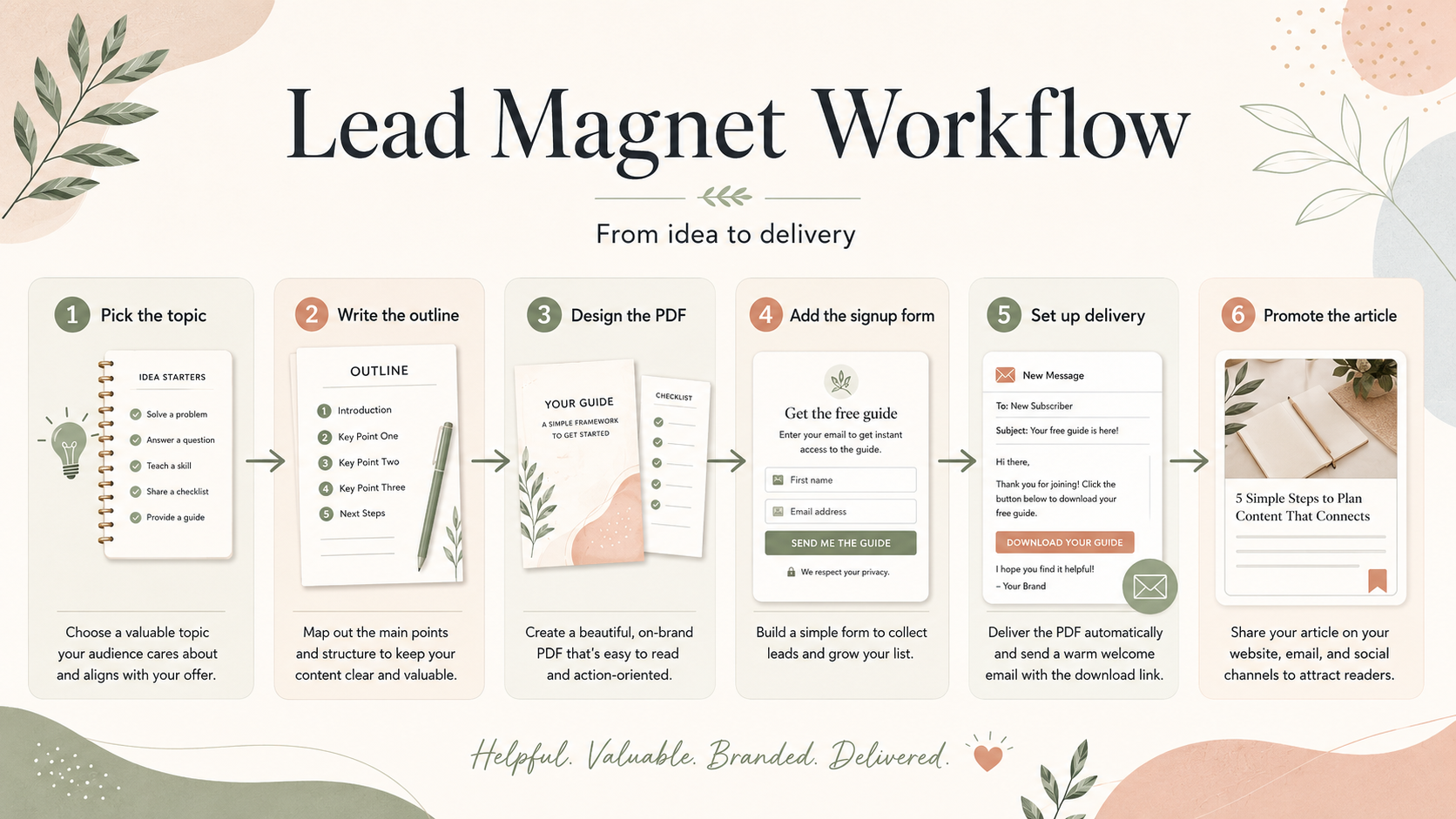
Step 3: Outline the Content
Before designing in Canva, outline the lead magnet in plain text. This keeps the design process calmer and prevents you from filling pages with decorative content that does not help the reader.
A simple outline might look like this:
- Cover page
- Short introduction
- Checklist, steps, prompts, or guide content
- Simple example or note
- Next-step CTA
For a checklist, each item should be short enough to scan. For a workbook, each prompt should have enough space for the reader to write. For a mini guide, use subheadings so the reader can jump around.
If the lead magnet needs more than five to seven sections, consider narrowing the topic.
Step 4: Create a Simple Visual Style
Your lead magnet does not need a complicated design system. It does need consistency.
Choose:
- Two or three brand colors.
- One heading font and one body font.
- A simple page structure.
- A consistent button or CTA style.
- A small set of icons, dividers, or callout boxes.
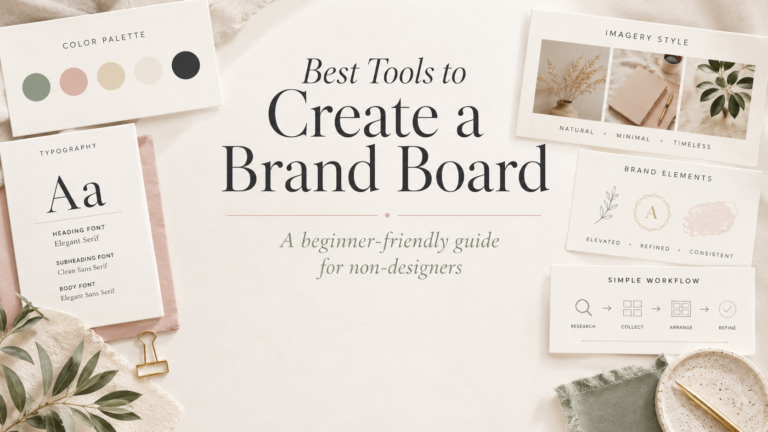
If you already have a brand board, use it as your design reference. If you are still choosing tools, this guide to the best tools to create a brand board can help you think through your options.
The lead magnet should look like it belongs with your website, Pinterest graphics, welcome emails, and service materials. That consistency builds recognition over time, even before someone is ready to buy.
Step 5: Design the Lead Magnet in Canva
Once the strategy and outline are ready, open Canva and create the design. Canva’s official pages describe it as a drag-and-drop design tool with templates, stock photos, graphics, uploaded images, cloud-saved designs, sharing options, and multi-page design workflows for ebook-style resources.
For a beginner lead magnet, start with a simple document-style layout. You can use a template as a starting point, but do not let the template make the decisions for you. Replace generic colors, fonts, images, and headings with your own visual direction.
Design tips:
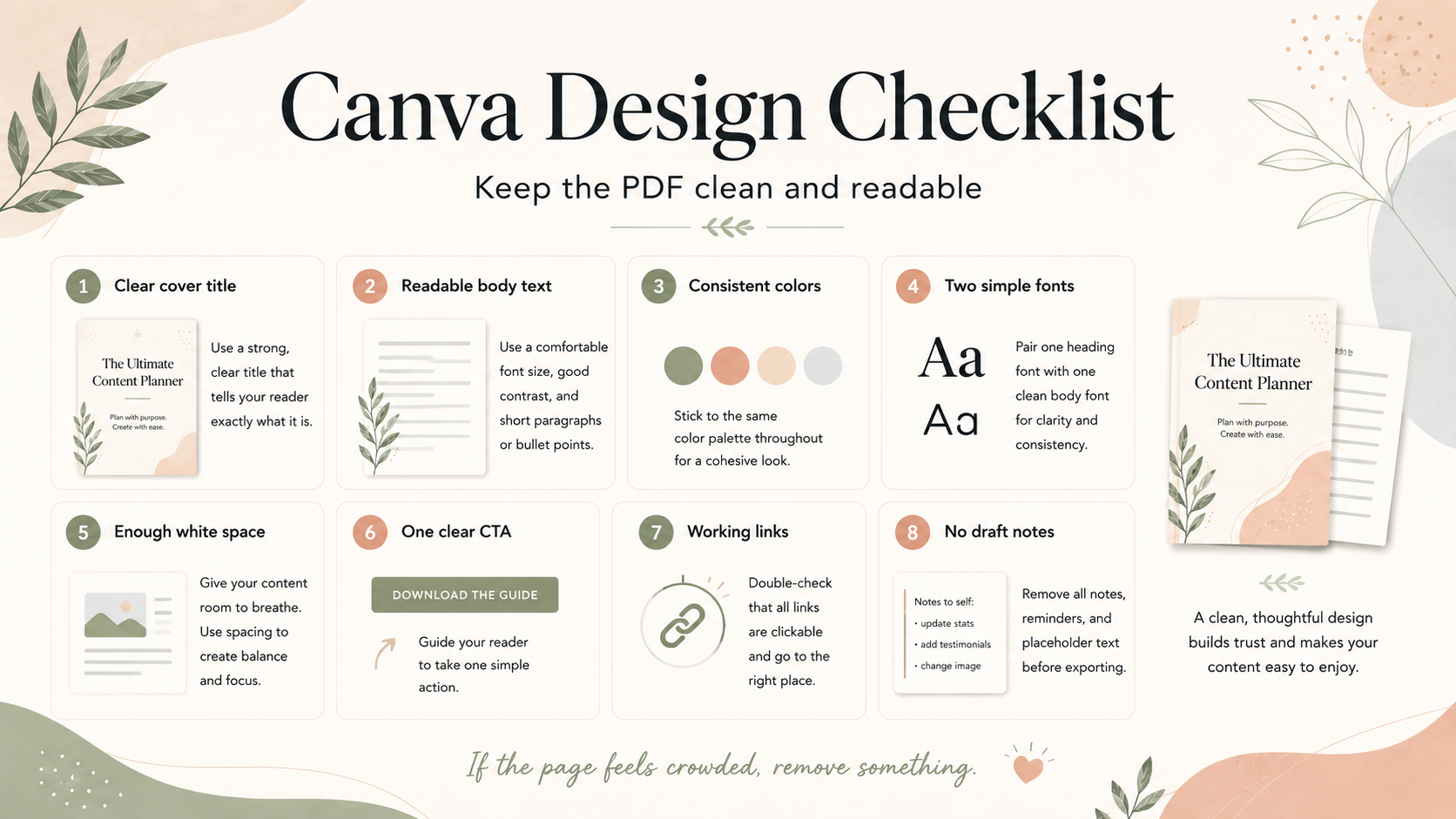
- Use a clear title on the cover.
- Keep body text readable.
- Leave more white space than you think you need.
- Use your brand colors consistently.
- Use icons or decorative elements sparingly.
- Put the CTA at the end, not on every page.
- Make sure the PDF still makes sense if printed in black and white.
If the design starts to feel crowded, remove something. A lead magnet should feel easy to use.
Step 6: Export the PDF
When the design is ready, export it in a format that makes sense for the reader. For most checklist, guide, workbook, and prep-guide lead magnets, a PDF is the simplest option.
Keep this step general unless you verify the current Canva interface before publishing. Canva’s interface and export labels can change, and this draft should not depend on unverified click-by-click instructions.
Before you connect the file to a signup form, review it carefully:
- Open the exported PDF.
- Check the page order.
- Read the text at normal size.
- Test any links.
- Check that the CTA is clear.
- Confirm that the file name is understandable.
- Make sure there is no private information, draft note, or placeholder text.
If your lead magnet uses templates, photos, icons, fonts, or other Canva content, review Canva’s current license terms and the asset source before distributing it. This article is educational and does not provide legal advice.
Step 7: Connect It to an Email Signup Workflow
The PDF is only one part of the system. To use it as a lead magnet, you need a signup workflow.
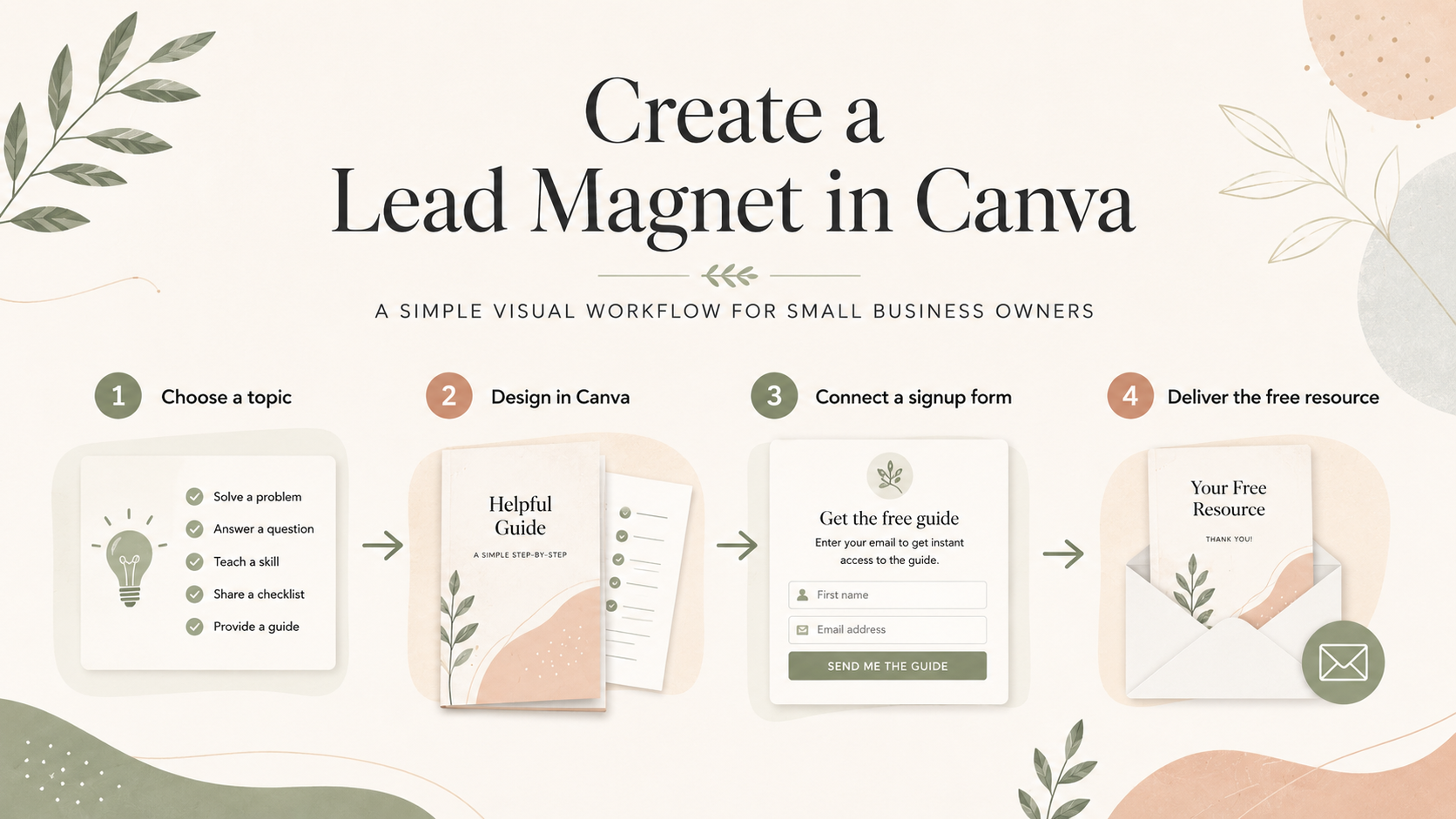
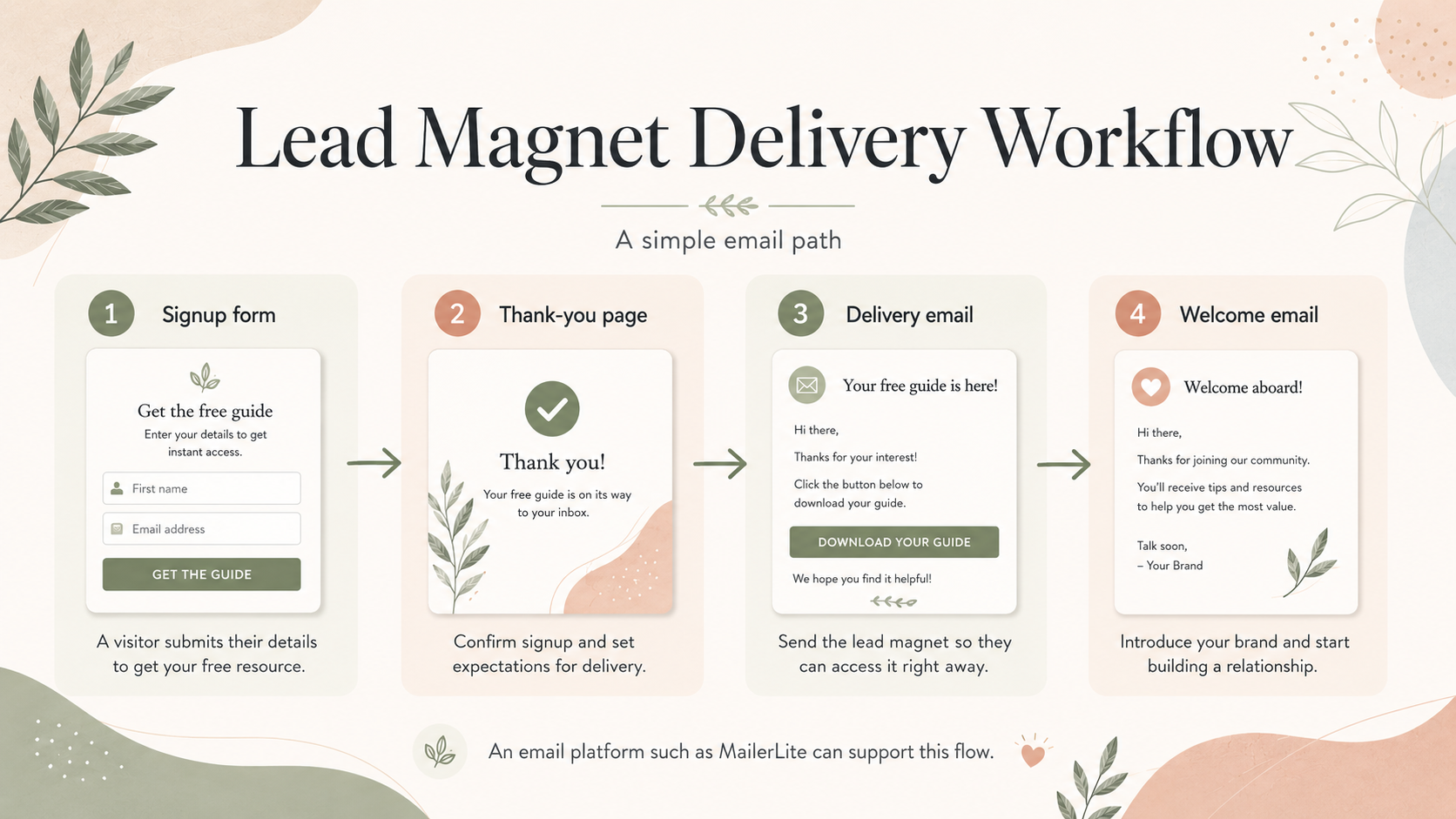
At a high level, that workflow can look like this:
- Reader sees your CTA inside a relevant article or resource page.
- Reader submits a signup form.
- Reader lands on a thank-you page or confirmation page.
- Reader receives access to the PDF through a delivery email or thank-you page link.
- Reader gets a simple welcome or follow-up email.
An email platform such as MailerLite can support signup forms, landing pages, subscriber grouping options, and automated email workflows. MailerLite’s official pages describe delivery options such as sending a link through an automated email or adding a link to a landing page thank-you page.
That does not mean MailerLite is the best platform for every business. It also does not guarantee deliverability, compliance, list growth, or sales. It means it can fit a beginner workflow where a small business wants to connect a useful PDF to an email signup path.
Before promoting the lead magnet, test the full path yourself. Submit the form, confirm that the right thank-you page or delivery email appears, open the file, check the footer and sender details, and make sure the subscriber experience matches what the CTA promised.
Step 8: Add It to Relevant Articles
Once the lead magnet exists, place it where it naturally helps the reader. Do not add it randomly to every page.
For example, a brand kit checklist fits naturally inside articles about Canva brand boards, service-business visual branding, and beginner design tools. A photoshoot prep checklist belongs near photography planning content. A skincare prep guide belongs near service education content.
Good placement options include:
- Near the top of a relevant tutorial.
- After a step-by-step section.
- At the end of a related article.
- Inside a resource box.
- In a start-here page or beginner resource hub.
For The Visual Brand Kit, a lead magnet article can connect naturally to Canva tutorials, branding resources, and the start here page.
Step 9: Promote It With Pinterest
Pinterest can support the lead magnet indirectly by sending readers to helpful article pages. For this project, the model is Pinterest pin to TVBK article or resource page, then email signup or later affiliate click where appropriate.
For a Canva lead magnet article, future pins could focus on:
- How to create a lead magnet in Canva.
- Canva lead magnet checklist.
- Lead magnet ideas for service businesses.
- Lead magnet mistakes to avoid.
- Lead magnet ideas for coaches.
- Lead magnet ideas for estheticians.
Pinterest should send readers to the article or resource page, not directly to the PDF file. The article gives context, explains the workflow, and lets the signup CTA feel useful instead of abrupt.
Do not use UTM links, Bitly links, direct affiliate links, or product-style merchant flows. Pinterest promotion should not promise guaranteed traffic, list growth, or revenue. It should simply make the useful article easier to discover.
Lead Magnet Examples by Business Type
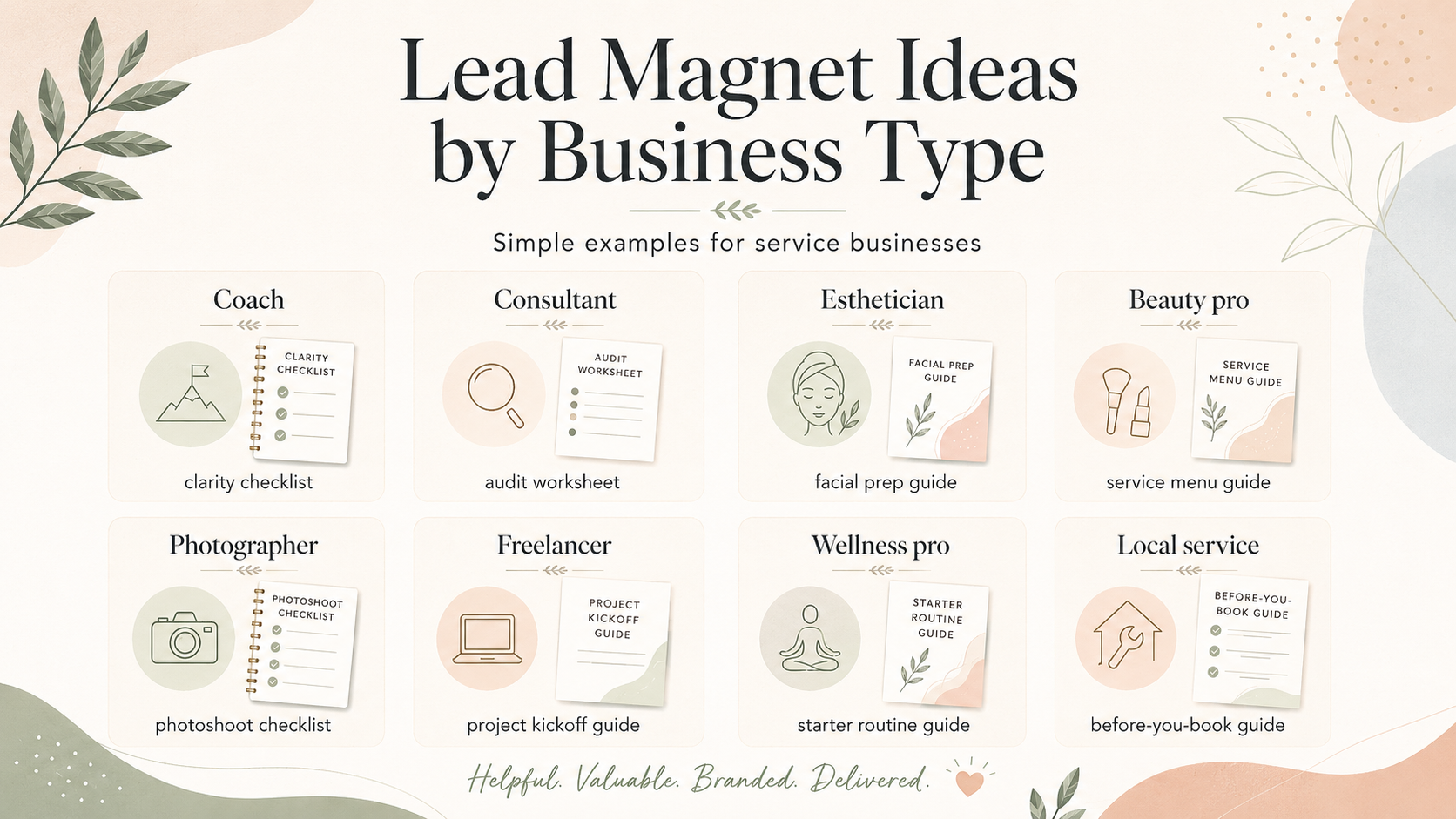
Different service businesses need different lead magnets. The best idea is usually close to what your audience already asks before working with you.
| Business Type | Lead Magnet Idea | Why It Fits | Suggested Canva Format | CTA Angle |
|---|---|---|---|---|
| Coach | 10-question clarity checklist | Helps potential clients name the problem before booking | 2-page checklist/workbook | Get clear before your first coaching call |
| Consultant | Simple audit worksheet | Shows expertise while helping the reader assess gaps | 3-page worksheet | Find the first area to improve |
| Esthetician | First facial prep guide | Reduces anxiety and improves appointment readiness | 1-page prep checklist | Know what to do before your appointment |
| Beauty professional | Service menu decision guide | Helps clients choose the right service category | Decision guide PDF | Choose the service that fits your goal |
| Photographer | Photoshoot prep checklist | Helps clients arrive prepared and confident | Checklist plus timeline | Plan a smoother photo session |
| Freelancer | Project kickoff checklist | Helps prospects understand what is needed to start | Mini guide/checklist | Prepare your project before you inquire |
| Wellness professional | Calm routine starter guide | Gives a safe, simple first step | Mini guide with routine cards | Start with one simple habit |
| Local service business | Before-you-book guide | Reduces repetitive questions and prequalifies leads | FAQ-style guide | Know what to expect before booking |
Best Lead Magnet Formats for Coaches
Coaches often need lead magnets that help the reader reflect before taking the next step. Good formats include clarity checklists, reflection workbooks, decision guides, planning prompts, and before-your-first-call worksheets.
The design should feel calm, spacious, and easy to write in. Avoid packing each page with long paragraphs. Use prompts, open space, and short explanations.
For example, a coach might create “10 Questions to Ask Before Choosing Your Next Goal.” That topic is specific, useful, and connected to a coaching conversation without trying to replace the full service.
Best Lead Magnet Formats for Estheticians and Beauty Professionals
Estheticians and beauty professionals can use lead magnets to educate clients before they book or arrive. Helpful ideas include first-facial prep guides, skincare routine checklists, service decision guides, appointment aftercare checklists, and seasonal treatment planning guides.
Keep the language careful and practical. Do not make medical claims, guarantee results, or give advice outside your professional scope. If a guide includes care instructions, make sure it matches your actual service policies.
Visually, beauty lead magnets often benefit from clean spacing, soft but readable colors, and simple sections that make the information feel approachable.
Best Lead Magnet Formats for Consultants and Freelancers
Consultants and freelancers can use lead magnets to help potential clients understand what is needed before a project starts. Good options include audit worksheets, project kickoff checklists, scope planning guides, content prep guides, and is-this-the-right-time decision guides.
These lead magnets work best when they reduce confusion. A reader should finish the resource knowing what information they need, what problems they may have, and what the next step could be.
Use simple tables, checklists, and short prompts. Avoid overloading the reader with your full process.
Best Lead Magnet Formats for Photographers
Photographers can create lead magnets that help clients feel prepared before a session. Strong options include photoshoot prep checklists, outfit planning guides, location planning worksheets, family session timelines, and brand photoshoot planning prompts.
Because photography is visual, keep the PDF clean and image-friendly. Use examples carefully and avoid copying competitor layouts or protected visuals. If you use sample images, check the source and permissions before distributing the PDF.
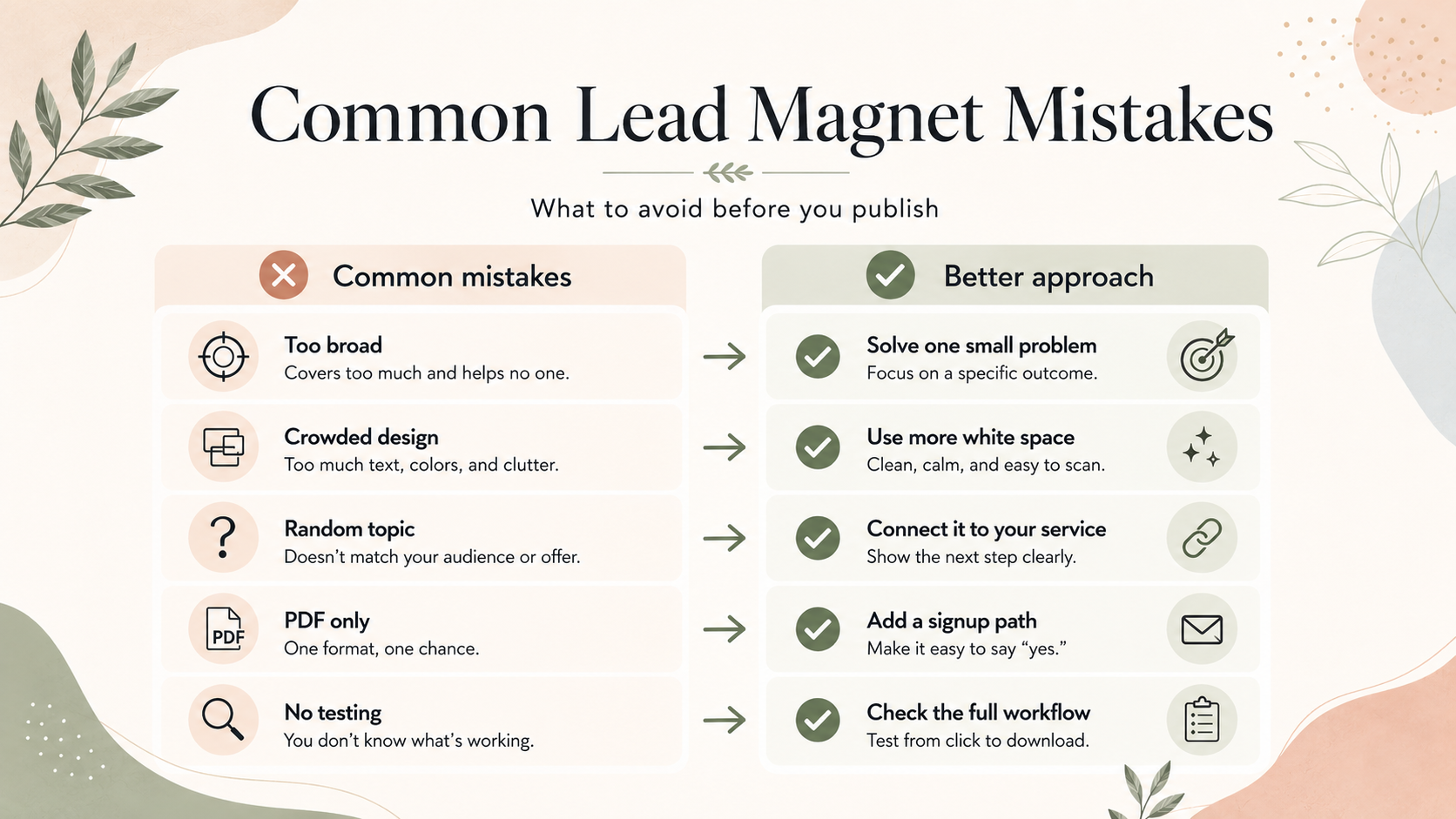
Common Lead Magnet Mistakes
The most common mistake is making the lead magnet too broad. “The Ultimate Guide to Everything” sounds impressive, but it is often too much for a new subscriber.
Other mistakes include:
- Choosing a topic that does not connect to your services.
- Designing before you know the promise.
- Treating the PDF as the whole system.
- Forgetting the signup form, thank-you page, or delivery email.
- Using too many fonts or colors.
- Making the PDF hard to read on a phone.
- Adding a CTA that feels unrelated.
- Using templates, images, or fonts without checking license terms.
- Promising results you cannot guarantee.
- Forgetting to test the full signup and delivery flow.
The fix is simple: narrow the topic, make it useful, keep it readable, connect it to a natural next step, and test the path before sending traffic to it.
Simple Canva Lead Magnet Checklist
Use this checklist before you publish or connect the lead magnet to a form:
- The topic solves one specific problem.
- The title is clear.
- The audience is obvious.
- The PDF is short enough to finish.
- The design uses consistent colors and fonts.
- The body text is readable.
- The page order is correct.
- Links work.
- The CTA is soft and relevant.
- The file name is clear.
- No draft notes or placeholders remain.
- Canva template, image, icon, and font use has been reviewed against current license terms.
- The signup form and delivery path have been tested.
This is also a good place to compare the lead magnet against your broader visual identity. If it does not feel like the same brand as your website, article graphics, or Pinterest visuals, simplify the design before publishing.
Where MailerLite Fits
MailerLite can fit after the PDF is created. It is not the lead magnet itself; it is one possible platform for the delivery and email signup system.
At a high level, an email platform such as MailerLite can support:
- Signup forms.
- Landing pages.
- Subscriber grouping or segmentation options.
- Thank-you page or delivery link workflows.
- Automated welcome or delivery emails.
The article should keep this explanation high-level unless the current MailerLite account workflow is verified before publication. Avoid exact click-by-click instructions, pricing details, or claims that MailerLite is best for every business.
MailerLite’s official signup form information also mentions features that may help support consent workflows, such as GDPR-related form settings. That does not mean a form automatically makes a business legally compliant. For legal requirements, readers should review current laws and consult a qualified professional if needed.
Licensing, Template, and Image-Use Caveat
Canva templates, photos, icons, illustrations, fonts, audio, video, and other content are governed by Canva’s current license terms and the source of the asset. Canva’s official Content License Agreement describes different content categories and usage limits, including restrictions around standalone use, trademark use, editorial-only content, branded content, and other specific cases.
Before distributing a lead magnet, review the current Canva license terms and the details of any template, font, photo, icon, illustration, or branded content you use.
This matters even when the lead magnet is free. Free does not automatically mean unrestricted use. This article is not legal advice.
Recommended Beginner Tool Stack
A simple beginner workflow can use:
- Canva for designing the lead magnet PDF.
- Your brand board for colors, fonts, image direction, and visual consistency.
- An email platform such as MailerLite for the signup and delivery workflow.
- A WordPress article or resource page for context, explanation, and the signup CTA.
- Pinterest later for discovery.
This is a beginner workflow, not a guarantee of growth, deliverability, compliance, or sales. The value comes from making the resource useful, placing it where it fits, and testing the reader experience before promoting it.
Recommended Beginner Workflow
If you are creating your first lead magnet in Canva, use this workflow:
- Choose one audience.
- Choose one small problem.
- Pick a simple format, such as a checklist or mini guide.
- Write the outline before designing.
- Use your brand board for colors, fonts, and visual direction.
- Design a clean, readable PDF in Canva.
- Export and review the PDF.
- Connect it to a signup form, thank-you page, or delivery email.
- Test the full signup and delivery path.
- Add the CTA to relevant articles.
- Promote the article or resource page later with Pinterest.
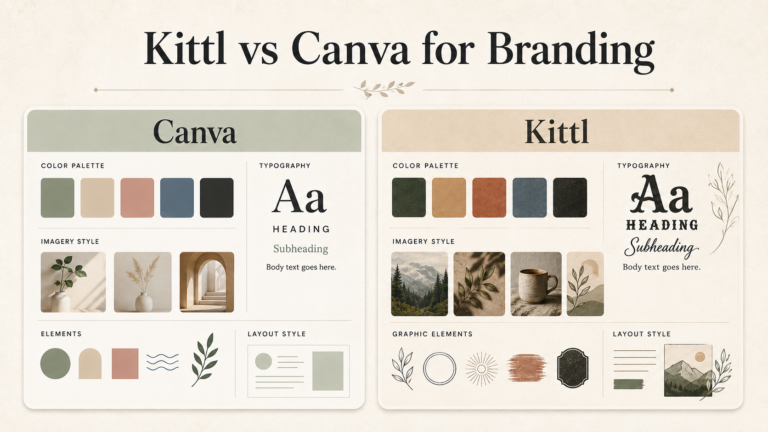
If you are still choosing between design tools, this Kittl vs Canva for branding comparison can help you think through how Canva fits into a broader small business visual workflow. You can also explore AI design tools if you are planning future visual workflows, but keep this first lead magnet simple.
Internal Links
Useful related resources on The Visual Brand Kit:
- How to Create a Brand Board in Canva
- 25 Brand Board Ideas for Service Businesses
- Best Tools to Create a Brand Board Without a Designer
- Kittl vs Canva for Branding
- Branding resources
- Canva tutorials
- Pinterest marketing resources
- Start here
- Affiliate disclosure
- Editorial policy
- How we review tools
Get the Free Small Business Brand Kit Checklist
Before you design another lead magnet, Pinterest graphic, service guide, or Canva PDF, use this free checklist to organize your brand colors, fonts, visual direction, and Canva-ready brand basics.
You’ll also get occasional practical branding and Canva workflow tips from The Visual Brand Kit. No spam.
FAQ
Can I make a lead magnet in Canva?
Yes. Canva can be used to design simple lead magnet formats such as checklists, mini guides, workbooks, prep guides, and short PDF resources. For the best result, plan the topic and outline before choosing a template or design layout.
What is the easiest lead magnet to create?
A checklist is usually the easiest beginner lead magnet. It is short, useful, and easy to design. It also works well for service businesses because it can help a reader prepare, make a decision, or avoid common mistakes.
Should my lead magnet be a checklist or guide?
Choose a checklist if the reader needs a quick action list. Choose a mini guide if the reader needs a short explanation before they can act. If this is your first lead magnet, avoid making it too long.
How long should a lead magnet be?
Many beginner lead magnets can be one to five pages. The right length depends on the promise. A strong two-page checklist is better than a 20-page guide that feels padded or unfinished.
Do I need MailerLite to deliver a lead magnet?
No single email platform is required for every business. MailerLite is one option that can support signup forms, landing pages, subscriber grouping, and automated email workflows. If you use it, keep the setup simple and test the signup and delivery path before promoting the lead magnet.
Can I use Canva templates for a lead magnet?
You can use templates as a starting point, but you should customize the design and review Canva’s current license terms and asset details before distributing the final PDF. This is especially important if you use Canva photos, icons, fonts, illustrations, branded content, or template elements.
Should I promote my lead magnet on Pinterest?
Pinterest can be useful for sending readers to a helpful article or resource page that includes your lead magnet CTA. Send people to the article or resource page, not directly to the PDF file, so they understand what they are signing up for. Do not promise guaranteed list growth, income, or results.
What should I avoid in a lead magnet?
Avoid vague topics, crowded design, hard-to-read text, too many fonts, unsupported legal or commercial-use assumptions, fake examples, fake results, direct PDF-only promotion with no signup path, and promises you cannot guarantee.
Final Recommendation
The best Canva lead magnet for a small service business is not the most elaborate one. It is the one that helps the right reader solve one small problem and recognize your brand in the process.
Start with a simple checklist, mini guide, workbook, or prep guide. Use your brand colors and fonts. Keep the design readable. Export and review the PDF carefully. Then connect it to a signup form, thank-you page, or delivery email and add it to the articles where it naturally helps readers.
Build the workflow first. You can improve the design, visuals, and promotion later.
Official Sources Reviewed
Official sources reviewed for this draft:
- Canva ebook/design page: https://www.canva.com/create/ebooks/
- Canva brand management tools page: https://www.canva.com/solutions/brand-management-tools/
- Canva Content License Agreement: https://www.canva.com/policies/content-license-agreement/
- Canva pricing page access attempt: https://www.canva.com/pricing/
- Canva PDF Editor access attempt: https://www.canva.com/pdf-editor/
- Canva Docs access attempt: https://www.canva.com/docs/
- MailerLite signup forms page: https://www.mailerlite.com/features/signup-forms
- MailerLite landing pages page: https://www.mailerlite.com/features/landing-pages
- MailerLite pricing page: https://www.mailerlite.com/pricing
Publication notes: exact Canva pricing was not verified in the approved Batch 11A brief. Exact MailerLite pricing should be rechecked before publication if mentioned. Detailed Canva PDF export steps, detailed Canva Docs workflow, and MailerLite in-account file delivery steps should be verified before adding click-by-click instructions.