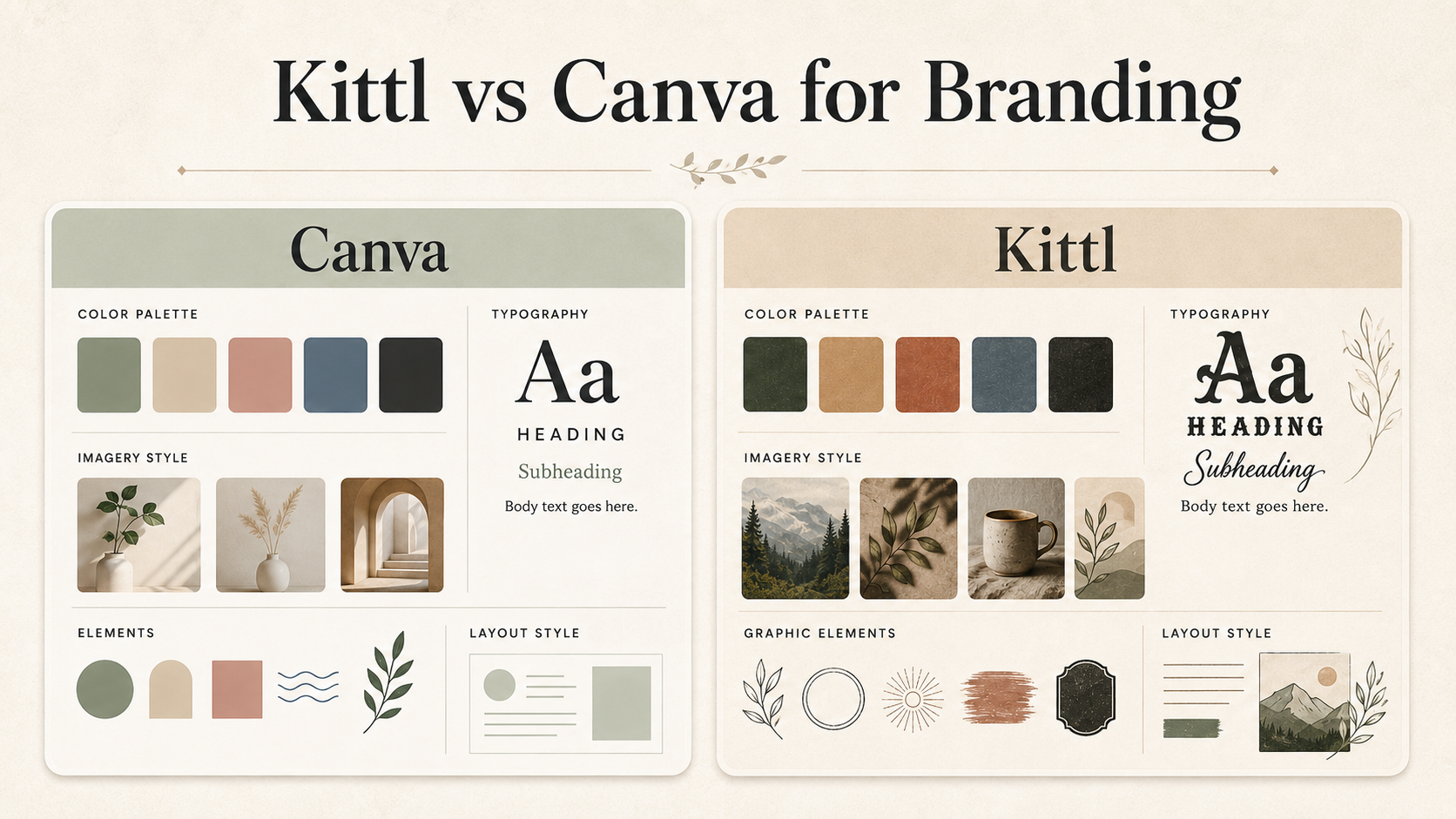
Kittl vs Canva for Branding
Updated July 2026
Some links on The Visual Brand Kit may be affiliate links. This comparison is written to help you choose a tool based on your branding workflow, not to push one platform for every business. This article does not include affiliate links at publication.
Based on official product information and practical branding workflows, this guide compares Kittl and Canva for non-designer small business owners who need brand boards, logo concepts, Pinterest graphics, lead magnets, service guides and a simple visual system.
Quick Verdict
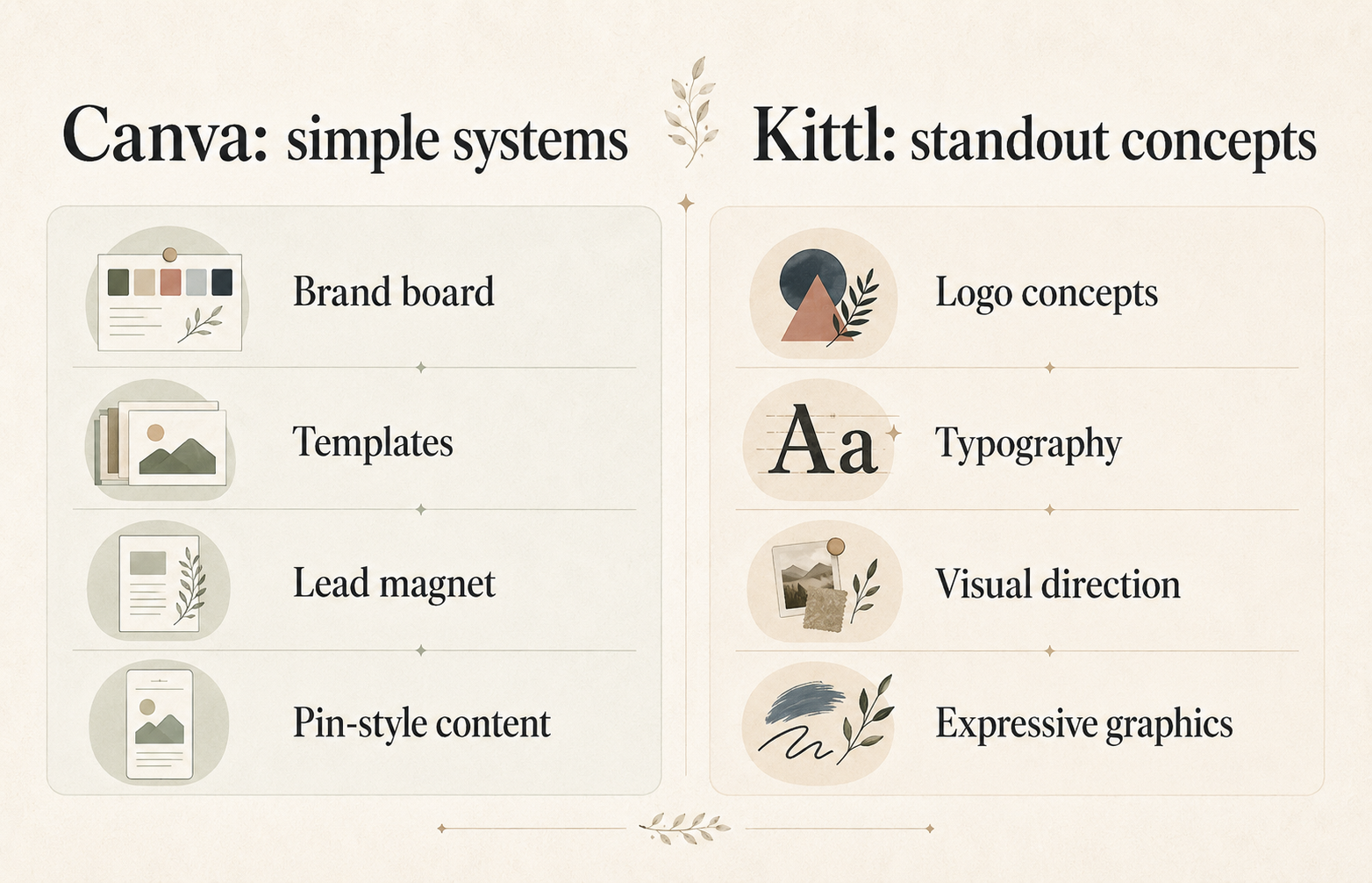
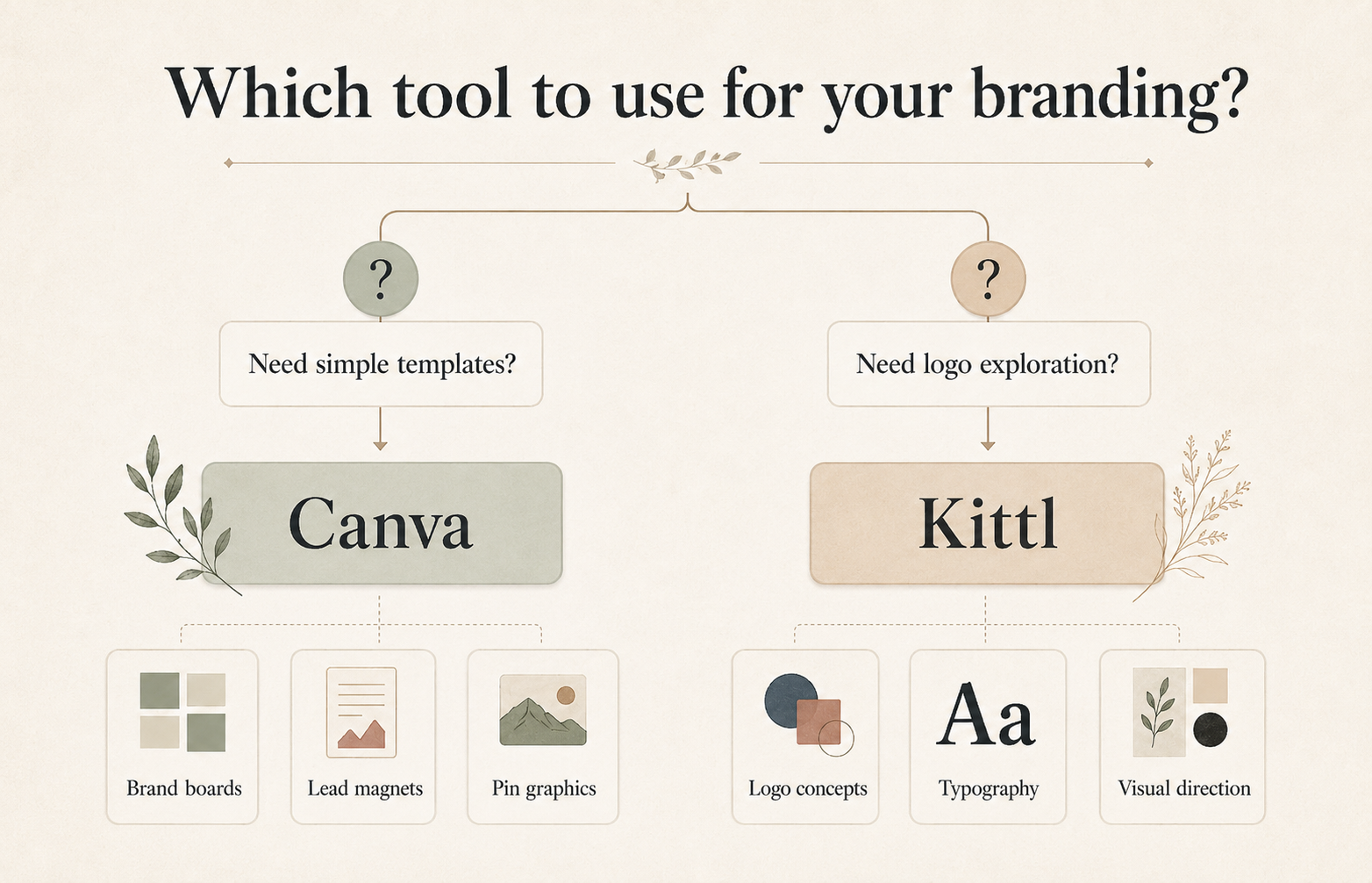
Canva is usually the easier starting point for non-designer service businesses that need simple brand boards, reusable templates, lead magnets, Pinterest graphics, pricing guides, service guides and everyday brand consistency.
Kittl may be a better fit when your business needs more distinctive logo concepts, stronger typography-driven visuals, editable vector-style work, expressive graphics and a more custom-looking brand direction.
The best choice is not universal. If you need a clean, simple brand system you can use every week, start with Canva. If you want to explore more stylized logo ideas and typography-led visuals, Kittl may be worth adding to your workflow.
What Canva Is in a Branding Workflow
Canva is a broad visual design platform that works well for everyday small business branding tasks: brand boards, social media graphics, lead magnets, presentations, service guides, pricing guides and simple marketing materials.
For a non-designer, Canva’s biggest strength is not only making one design. It is helping you repeat the same colors, fonts, layouts and visual style across many pieces of content. If you are starting with a brand board, our guide to how to create a brand board in Canva can help you turn those choices into a usable system.
Based on Canva’s official brand-related pages, Canva includes brand-management features such as Brand Kit, brand templates, logos, colors, fonts and brand assets, depending on plan and workspace setup.
What Kittl Is in a Branding Workflow
Kittl is an AI-first design platform with a strong focus on branding, typography, editable design work, templates, mockups, AI image generation, AI vector generation, vector editing, text effects and mood boards.
For a small business owner, Kittl is most interesting when the brand needs a more distinctive visual direction. It can be especially useful for logo concept exploration, typography-heavy graphics, expressive visual styles, product-style mockups and more custom-looking brand inspiration.
Kittl should not be treated as a shortcut around licensing, originality or trademark decisions. Like Canva, it is a design tool, not a legal review process.
Who This Comparison Is For
- coaches building a simple visual identity
- consultants creating brand boards, lead magnets and client-facing materials
- estheticians and beauty professionals building a polished service brand
- wellness professionals who need calm, consistent visuals
- photographers creating pricing guides and brand templates
- freelancers who need a practical brand system
- local service businesses that need clean marketing materials
- solopreneurs deciding where to start
It is especially useful if you are not a designer and you want to know which tool fits the way you actually create business visuals. For more examples by niche, browse these brand board ideas for service businesses.
Who This Comparison Is Not For
This comparison is not for businesses that need a fully custom brand identity, trademark-sensitive logo system, complex packaging system, large-team design governance or formal legal review.
If your logo will be central to a trademark application, product line, franchise, licensing deal or major rebrand, a DIY design tool may not be enough. For trademark-sensitive branding, consider original design work and qualified legal advice.
Kittl vs Canva for Branding: Quick Comparison
| Category | Canva | Kittl | Better fit |
|---|---|---|---|
| Simple brand board | Easy to build with templates, colors, fonts and image blocks | Possible through mood board and template workflows | Canva |
| Brand kit organization | Strong fit for organizing logos, colors, fonts and reusable assets | Useful for saving visual direction, but less central for simple business systems | Canva |
| Logo concept exploration | Good for simple logo layouts and beginner-friendly editing | Stronger fit for AI logo concepts, typography, vector-style editing and expressive logo directions | Kittl |
| Typography-heavy graphics | Good for simple branded templates | Stronger official emphasis on text effects, fonts and visual style | Kittl |
| Pinterest pin templates | Strong fit for repeatable social and Pinterest graphics | Useful for more stylized graphics, but less obvious as a beginner pin workflow | Canva |
| Lead magnet layouts | Strong fit for PDFs, guides, checklists and simple documents | Possible, especially for visual covers or stylized pages | Canva |
| Service guide / pricing guide layouts | Strong fit for practical service-business documents | Useful for visual polish, but may be more than needed for simple guides | Canva |
| Ease of use for beginners | Usually easier for non-designers | May feel more advanced because of stronger visual-control options | Canva |
| Visual uniqueness | Can look template-based if not customized | Better fit for more distinctive visual exploration | Kittl |
| Best for service businesses | Everyday brand consistency and practical marketing materials | More custom-looking logo concepts and expressive visuals | Depends on workflow |
Best Choice by Business Type
| Business type | Best starting tool | Why | Possible second tool | Caveat |
|---|---|---|---|---|
| Coach | Canva | Useful for brand boards, lead magnets, workbooks, slides and social graphics | Kittl | Add Kittl if the brand needs more distinctive logo or typography exploration. |
| Consultant | Canva | Strong fit for client-facing PDFs, pitch materials, guides and repeatable templates | Kittl | Use Kittl for more polished visual identity concepts. |
| Esthetician | Canva | Practical for service menus, booking graphics, price guides and Pinterest content | Kittl | Kittl may help create a more elevated logo or visual direction. |
| Beauty professional | Canva | Good for fast promotional materials and consistent visual templates | Kittl | Check official licensing before using templates, fonts, graphics or AI assets commercially. |
| Photographer | Canva | Strong for pricing guides, welcome guides, portfolio PDFs and social templates | Kittl | Kittl may help with mood boards, logo concepts and stylized brand marks. |
| Freelancer | Canva | Easy for personal brand systems, service guides, proposals and content templates | Kittl | Be careful with client-transfer and licensing questions. |
| Local service business | Canva | Best starting point for simple, repeatable marketing materials | Kittl | Avoid overbuilding the visual identity before the offer and audience are clear. |
| Wellness professional | Canva | Strong for calm, consistent brand boards and educational content | Kittl | Kittl may help if the brand needs a more distinctive, editorial look. |
Branding Workflow Comparison
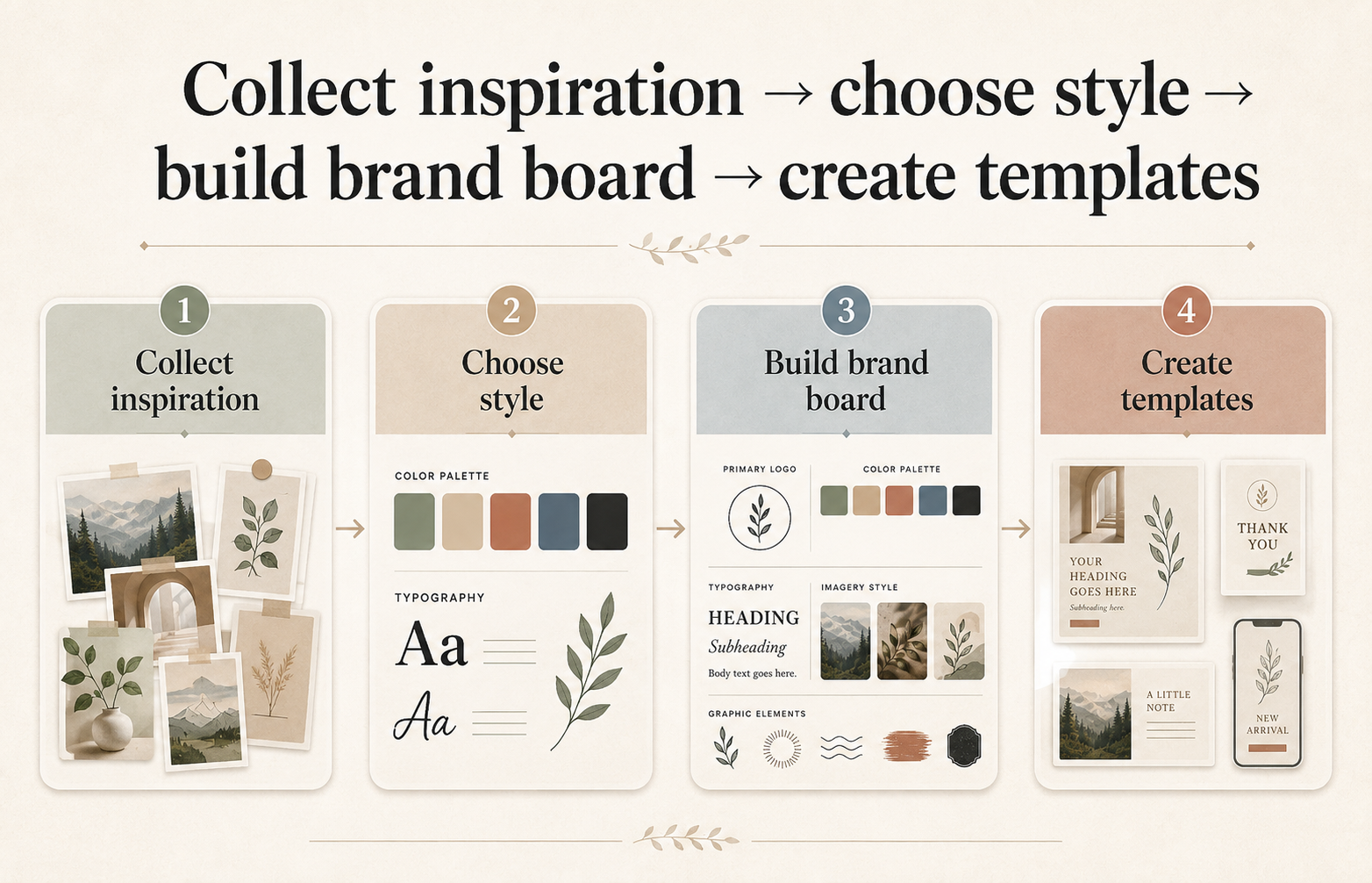
A practical small business branding workflow usually includes five steps: define the brand feel, choose colors and fonts, create a simple brand board, build reusable templates and apply the system to real business materials.
Canva is strongest when you need to turn a simple visual direction into repeatable assets: Pinterest pins, lead magnets, pricing guides, service menus, Instagram graphics, slide decks and PDFs. Kittl is strongest when you want to explore logo concepts, typography styles, visual motifs, mood boards, mockups and more custom-looking graphics before turning the final direction into everyday templates.
A smart workflow may use both: Kittl for exploration, Canva for daily execution. You can also compare more options in our guide to the best tools to create a brand board.
Brand Board Workflow Comparison
If your first goal is to create a simple brand board, Canva is usually the easier choice. A Canva brand board can include a logo or wordmark placeholder, color palette, font pairings, image style, icons or graphic elements, a sample Pinterest pin and a sample business card or lead magnet cover.
For service businesses, this is often enough to start using the same visual direction consistently. Kittl can also support mood board and visual-direction work. Kittl’s official mood board page describes editable templates, image uploads, stock photos, graphic assets, drag-and-drop editing, downloading, sharing and printing.
The difference is workflow emphasis. Canva is usually better for turning a brand board into everyday templates. Kittl may be better for developing a more distinctive visual concept before the brand board is finalized.
Before You Choose a Design Tool
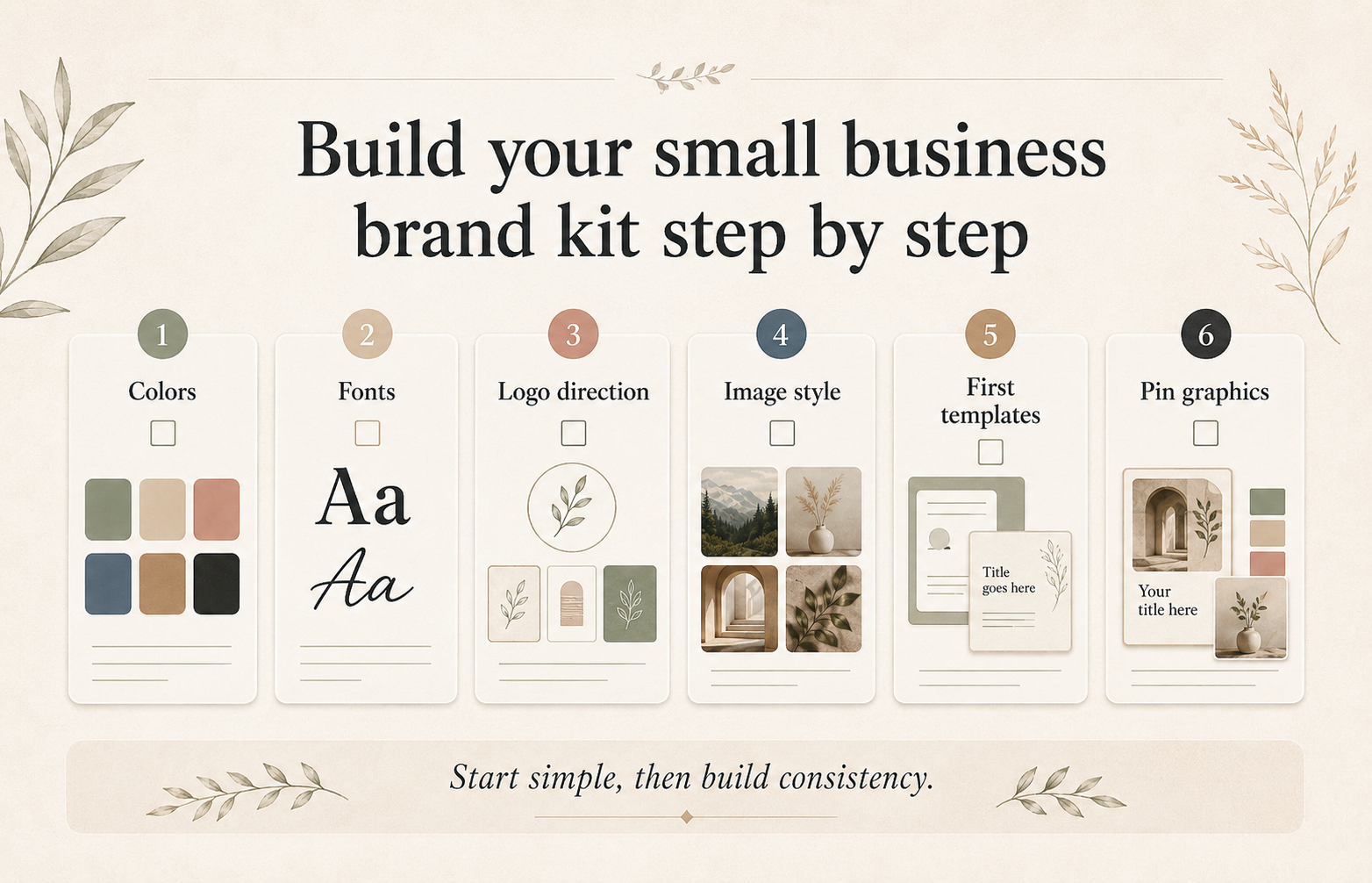
Before you choose a design tool, map out what your small business brand kit actually needs. Download the Free Small Business Brand Kit Checklist and use it to list your colors, fonts, logo direction, image style and must-have templates before you start designing.
Logo Concept Workflow Comparison
Canva is useful for simple logo ideas, especially if you want a fast starting point and do not need a highly custom mark. Canva’s official logo maker page describes a drag-and-drop editor, templates, icons, illustrations, AI logo generator mention, downloads and brand color use.
Kittl may be stronger for logo concept exploration. Kittl’s official logo maker page describes AI logo concepts, typography controls, vector tools, SVG/PDF/PNG exports, transparent backgrounds and saving colors and fonts to a brand kit.
That does not mean every Kittl logo is better, more original or safer to use. It means Kittl appears better suited to a more stylized concepting workflow, especially when typography and editable vector-style work matter.
Important caveat: logo and trademark decisions can depend on the exact assets used and your jurisdiction. Do not assume a logo made in Canva or Kittl is automatically available for trademark use.
Pinterest Graphics Workflow Comparison
For Pinterest graphics, Canva is usually the better starting point for beginners. Canva works well when you need repeatable pin layouts, consistent fonts and colors, multiple pin variations, simple text overlays, lead magnet promo graphics and blog post pins.
Kittl can still be useful for Pinterest when you want more distinctive typography, more stylized visuals or a more editorial look. But for a small business owner publishing consistently, Canva’s everyday template workflow is usually easier to maintain. For more on this side of the workflow, see our Pinterest design resources.
Lead Magnet and Business Materials Workflow Comparison
Canva is the stronger fit for most lead magnets and service-business materials, including checklists, workbooks, pricing guides, service guides, welcome packets, simple PDFs, presentation decks, client education materials and Pinterest graphics promoting the lead magnet.
Kittl may help with lead magnet cover concepts, stylized headings, decorative typography, visual motifs and mockup-style promotional graphics. If your main goal is to create a useful PDF that readers can print or reference, Canva is probably enough. If your lead magnet needs a more distinctive visual cover or campaign identity, Kittl can support the concept stage.
Ease of Use Comparison
Canva is usually easier for beginners because the workflow is built around choosing a design type, editing a template, applying brand assets and exporting or sharing the result.
Kittl may require more visual judgment. Its strengths, such as typography, vector-style editing, AI concept generation, mockups and stylized visuals, are powerful when you know what direction you want. They can also be distracting if you are still unclear on your brand basics.
Templates and Assets Comparison
Canva is strong for practical business templates: social posts, documents, presentations, PDFs, marketing graphics and everyday brand materials. Kittl is strong for more expressive design assets: typography-led templates, graphics, mockups, fonts, logos, product visuals, mood boards and stylized creative work.
Both tools use templates and assets, so customization matters. A template is only a starting point. For a stronger brand, change the colors, refine the typography, replace generic imagery, simplify the layout and make sure the final system reflects your actual business. You can continue exploring related branding resources and Canva branding tips on The Visual Brand Kit.
AI Features Comparison
Based on official product information, both tools include AI-related features, but they fit different branding workflows.
Kittl officially lists AI image generation, AI vector generation, background remover, image upscaler and vectorizer. In a branding workflow, those features are most relevant for concept exploration, visual directions, mockups and stylized graphics.
Canva’s official pages reference Canva AI features and an AI logo generator. For small business branding, AI can help generate ideas faster, but it should not replace judgment. Check the official terms before using AI-generated assets commercially, and be especially cautious with recognizable people, brands, characters or designs that resemble existing work. You can also browse our AI design tools resources for more context.
Pricing Notes
Both tools may offer free and paid options. Pricing and plan features can change, so check the official pricing pages before choosing.
For this comparison, workflow fit matters more than exact monthly price. Ask which tool you will actually use every week, which tool helps you create the assets your business needs now, which tool reduces design friction instead of adding complexity and which paid features you truly need for your current stage.
No exact pricing is included here because current pricing should be verified from the official pricing pages before you choose.
Licensing, Commercial Use and Logo Trademark Caveat
This article is not legal advice.
Before using Canva or Kittl templates, fonts, graphics, stock assets or AI-generated assets commercially, check the official license terms for the exact asset and plan you are using.
- Commercial-use rules can vary by content type, plan and asset source.
- AI-generated content can involve additional cautions.
- Logo and trademark decisions can depend on the exact assets used and your jurisdiction.
- A design tool cannot guarantee that a logo is legally available, original or registrable.
- For trademark-sensitive branding, consider original design work and qualified legal advice.
This matters most if you are creating a logo, product packaging, merchandise, client work or brand assets that will become central to your business.
Best Choice for Coaches
Canva is usually the better starting point for coaches. Most coaches need a simple brand board, Instagram and Pinterest graphics, webinar slides, worksheets, lead magnets, service pages or offer graphics, email header graphics and client-facing PDFs.
Kittl may be helpful if a coach wants a more distinctive personal brand look, a stronger logo concept or more editorial typography. But for most early-stage coaching brands, Canva is enough to build consistency.
Best Choice for Estheticians and Beauty Professionals
Canva is usually the best starting point for estheticians and beauty professionals because it works well for service menus, pricing guides, treatment education, seasonal promos, Pinterest pins and appointment-related graphics.
Kittl may be worth adding if the brand needs a more premium, boutique or stylized visual direction. It can help with logo exploration, typography, mood boards and more distinctive campaign graphics.
Best Choice for Consultants and Freelancers
Canva is usually the practical first choice for consultants and freelancers. It helps create proposals, service guides, pitch decks, lead magnets, social graphics, client education PDFs and simple visual systems.
Kittl is useful when the consultant or freelancer wants a more distinctive brand identity, especially for a personal brand, creative studio or visual portfolio. If you create client work using either tool, check the terms carefully. Client-transfer and commercial-use questions can be different from using designs only for your own business.
Best Choice for Photographers
Canva is usually better for photographers who need pricing guides, welcome guides, session prep PDFs, Pinterest graphics and promotional materials.
Kittl may be useful for mood boards, typography-led brand concepts, logo ideas and more stylized campaign visuals. A good photographer workflow could be to use Kittl to explore visual direction and typography, then use Canva to build the pricing guide, welcome guide, Pinterest templates and repeatable marketing assets.
When Canva Is Enough
Canva is probably enough if you need a simple brand board, a clear color palette, font pairing, Pinterest pin templates, lead magnet layouts, service guides, pricing guides, a basic logo placeholder, reusable social graphics and a consistent small business brand system.
Canva is also enough if your current problem is not visual originality, but inconsistency. Many small businesses do not need a more complex design tool. They need fewer fonts, clearer colors, better templates and a repeatable system.
When Kittl May Be Better
Kittl may be better if you need distinctive logo concepts, typography-heavy graphics, more expressive visual styles, editable vector-style work, mockup-oriented visuals, mood board exploration, more custom-looking brand concepts or stylized graphics for product or campaign visuals.
Kittl is especially interesting when your brand needs to feel less generic. If you keep seeing the same template-style layouts in your niche, Kittl may help you explore a stronger visual direction.
When Neither Tool Is Enough
Neither Canva nor Kittl may be enough if you need a trademark-sensitive logo, a full custom identity system, advanced brand strategy, packaging with legal or compliance concerns, complex typography licensing review, large-scale brand governance, custom illustration or original art direction for a major launch.
In those cases, a designer may be the better investment. A design tool can help you execute, but it cannot replace brand strategy, originality review, legal review or professional judgment.
Common Mistakes to Avoid
- choosing a tool before defining the brand direction
- using too many fonts
- changing colors every week
- treating a logo as the whole brand
- using templates without customizing them
- assuming AI-generated visuals have no restrictions
- assuming a logo is ready for trademark use because it looks finished
- building Pinterest graphics before creating a clear brand board
- choosing the most advanced tool instead of the most useful one
- copying a competitor’s visual style too closely
Recommended Beginner Workflow
- Write down 3 to 5 brand words, such as calm, polished, friendly, bold, refined, warm, modern or editorial.
- Build a simple brand board with colors, fonts, image style, logo direction and sample graphics.
- Choose your primary tool. Use Canva if you need everyday templates first. Use Kittl if you need stronger logo or visual concept exploration first.
- Create only the essentials: a brand board, Pinterest pin template, lead magnet cover, service guide cover and one social graphic template.
- Test the system in real content.
- Upgrade later, after the basic system is clear.
Get the Free Small Business Brand Kit Checklist
Before you choose a tool, map out what your small business brand kit actually needs. The Free Small Business Brand Kit Checklist will help you define your colors, fonts, logo direction, image style and first templates so you can choose the tool that fits your workflow.
FAQ
Is Kittl better than Canva for branding?
Kittl is not universally better than Canva. Kittl may be better for distinctive logo concepts, typography-heavy graphics, editable vector-style work and expressive visual directions. Canva is usually better for simple brand boards, reusable templates, lead magnets, Pinterest graphics and everyday business materials.
Is Canva enough for a small business brand kit?
Yes, Canva is enough for many small business brand kits, especially if you need colors, fonts, logo placement, templates, Pinterest graphics, service guides, pricing guides and lead magnets. If you need a fully custom identity or trademark-sensitive logo, Canva alone may not be enough.
Which tool is better for brand boards?
Canva is usually better for simple brand boards because it is easy to use and connects naturally to reusable templates. Kittl can be useful for mood boards and visual exploration, especially when you want a more distinctive style before finalizing the brand board.
Which tool is better for logo ideas?
Kittl may be better for logo concept exploration because its official product information emphasizes AI logo concepts, typography, vector tools and logo exports. Canva is still useful for simple logo layouts and beginner-friendly editing.
Can I trademark a logo made in Canva or Kittl?
Do not assume a logo made in Canva or Kittl is ready for trademark use. Logo and trademark decisions can depend on the exact assets used and your jurisdiction. For trademark-sensitive branding, consider original design work and qualified legal advice.
Can I use Canva or Kittl designs commercially?
Commercial use depends on the official license terms, the content used, the plan and the type of project. Check the official license terms before using templates, fonts, graphics, stock assets or AI-generated assets commercially.
Which is better for Pinterest graphics?
Canva is usually better for Pinterest graphics because it works well for repeatable pin templates, simple text overlays, lead magnet graphics and blog post pins. Kittl can be useful for more stylized Pinterest visuals or special campaign graphics.
Which is better for coaches?
Canva is usually the better starting tool for coaches because it supports workbooks, lead magnets, slides, social posts and Pinterest templates. Kittl may be useful if a coach wants a more distinctive logo direction or typography-led visual identity.
Which is better for estheticians or beauty professionals?
Canva is usually the easier starting point for service menus, price guides, treatment education and promotional graphics. Kittl may help beauty professionals explore a more premium or stylized visual direction.
Should I use both Canva and Kittl?
You can use both if each tool has a clear job. Use Kittl for visual exploration, logo concepts, typography or more custom-looking graphics. Use Canva for everyday templates, Pinterest graphics, lead magnets and service-business materials.
Final Recommendation
If you are a non-designer building a simple small business brand, start with Canva. It is usually the easiest way to create a brand board, organize basic brand assets and make the everyday materials your business actually needs.
If your brand feels too generic or you need more distinctive logo concepts, typography or expressive visual direction, add Kittl to the workflow. Kittl is strongest when you are shaping the look and feel of the brand, not just producing weekly templates.
The most practical setup for many service businesses is Canva for brand consistency and reusable business materials, Kittl for standout concepts and more distinctive visuals, and a designer when originality, trademark sensitivity or a full identity system matters.
For more help choosing your next step, visit Start Here, read our how we review tools page, and see our editorial policy and affiliate disclosure.
Official Sources Reviewed
- Kittl homepage
- Kittl logo maker
- Kittl mood board maker
- Kittl pricing
- Kittl licensing
- Kittl AI design rights
- Kittl AI usage rules
- Canva Pro
- Canva Brand Kit
- Canva Brand Kit help
- Canva logo maker
- Canva licensing explained
- Canva Content License Agreement
- Canva trademark and logo help
- Canva Intellectual Property Policy